Transform Your Projects with Innovative Laser Cutting Designs
Introduction to Laser Cutting Designs
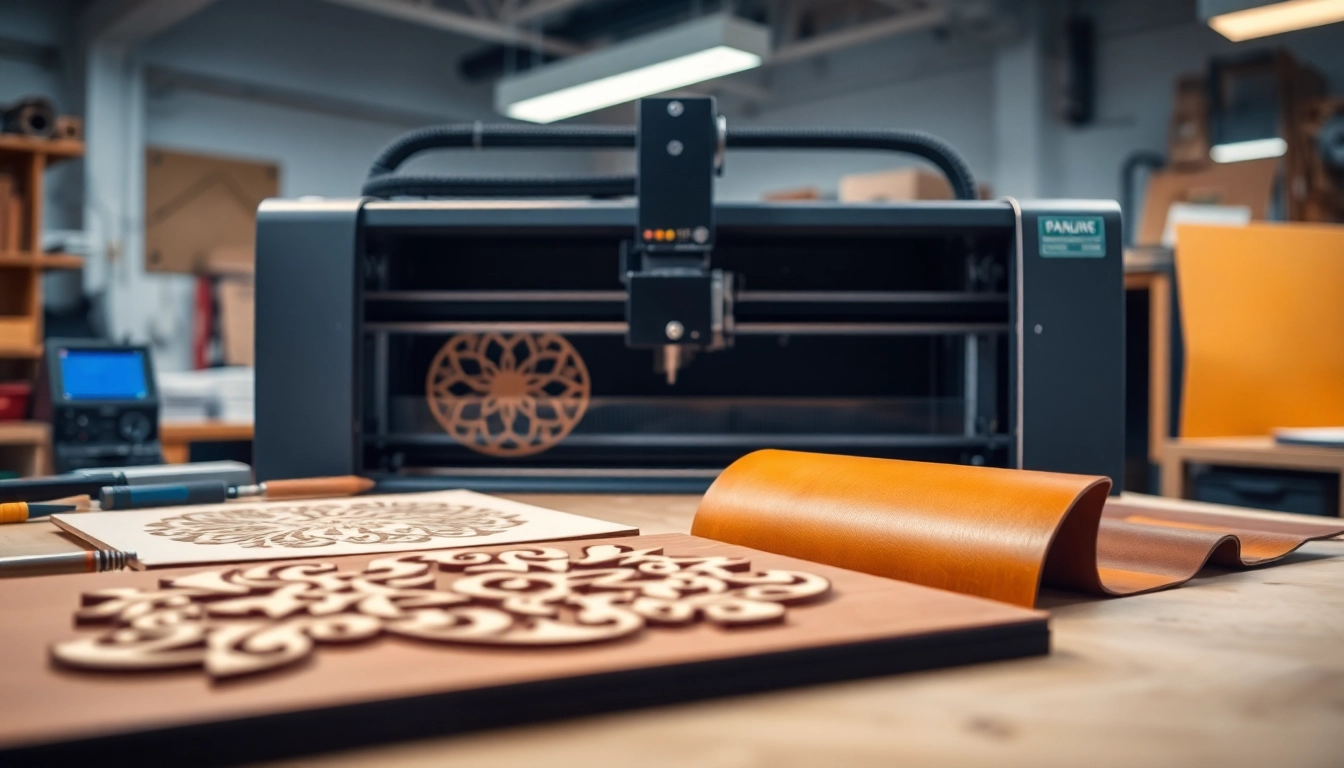
Laser cutting designs have revolutionized the way we approach crafting and manufacturing, allowing for incredible precision and versatility. With the ability to create intricate patterns and shapes from various materials, these designs cater to a vast array of industries including decor, craftsmanship, and prototyping. For those looking to explore the fascinating world of laser cutting designs, understanding the essential concepts, materials, and applications is paramount.
What Are Laser Cutting Designs?
Laser cutting designs refer to the digital files and techniques used to guide a laser cutter in creating specific shapes from materials such as wood, acrylic, paper, and metal. These designs can range from simple geometric patterns to complex artistic creations, making them suitable for both amateur crafters and professional designers. Typically created using vector graphic software, laser cutting designs must account for the laser’s power, speed, and material type to yield optimal results.
Benefits of Using Laser Cutting Designs
The use of laser cutting designs offers numerous advantages that appeal to various users:
- Precision: Laser cutting consistently produces high-quality, detailed cuts that are difficult to achieve with traditional methods.
- Efficiency: The speed of laser cutters allows for quick prototyping and production runs, saving time and resources.
- Versatility: A wide range of materials can be utilized, from wood and acrylic to paper and fabric, accommodating diverse project needs.
- Customization: Designers can easily modify existing templates or create unique designs tailored to specific requirements.
- Waste Minimization: The accuracy of laser cutting reduces material waste, making it a more economical and environmentally friendly option.
Common Materials for Laser Cutting Designs
When exploring laser cutting designs, it’s essential to recognize the materials that work best with this technology:
- Wood: Ideal for creating structural designs, art pieces, and intricate patterns.
- Acrylic: Popular for signage and decorative elements due to its clarity and variety of colors.
- Metal: Suitable for industrial applications and durable products, though requires higher power lasers.
- Fabric: Works well for fashion and textile projects where unique patterns are desired.
- Paper: Great for creating detailed invitations, models, and educational materials.
Getting Started with Laser Cutting Designs
If you’re new to creating laser cutting designs, there are several critical steps and considerations to ensure success:
Tools and Equipment Needed for Laser Cutting
Before embarking on your laser cutting journey, it’s vital to acquire the right tools and equipment. Key components include:
- Laser Cutter: The primary apparatus used for cutting materials following the design files.
- Computer: Necessary for running design software and uploading files to the laser cutter.
- Design Software: Programs such as Adobe Illustrator or CorelDRAW help create and refine your designs.
- Materials: Preselected options that suit your project goals and laser cutter specifications.
- Safety Gear: Protective eyewear and ventilation are crucial for safe operation.
Choosing the Right Software for Laser Cutting Designs
Selecting the appropriate software can significantly influence your design and cutting experience. Popular choices include:
- Adobe Illustrator: A powerful tool for creating vector graphics, ideal for beginners and professionals alike.
- CorelDRAW: Widely used in the engraving and cutting industry for its intuitive interface and powerful features.
- Inkscape: A free and open-source option that provides robust capabilities for vector design.
- LightBurn: Specifically designed for laser cutting and engraving, offering user-friendly features and interface.
Preparing Files for Laser Cutting Designs
Proper file preparation is vital for successful laser cutting. Follow these steps:
- Create your design using vector graphics software.
- Ensure all lines are set to the appropriate cutting or engraving thickness.
- Export the file in a compatible format, such as .DXF or .SVG.
- Test your design with a prototype to ensure accuracy and fit before final production.
Popular Applications of Laser Cutting Designs
Laser cutting designs are utilized in various fields, showcasing their flexibility and capability:
Home Décor and Art Projects
One of the most visually impactful uses of laser cutting is in home decor and artistic expression. Designers can create:
- Wall Art: Intricate designs add a unique touch to home interiors.
- Lampshades: Customized lighting solutions that enhance ambiance.
- Furniture: Unique pieces that combine functionality and aesthetics.
Promotional and Branding Materials
Businesses leverage laser cutting for brand visibility and promotional materials. Applications include:
- Signage: Eye-catching and customized signs attract customer attention.
- Business Cards: Creative designs stand out in networking contexts.
- Packaging: Customized packaging enhances product appeal.
Functional Items and Prototypes
In product development, laser cutting plays a significant role. Practical uses involve:
- Prototyping: Rapid creation of models to test ideas and concepts.
- Parts Manufacturing: Producing components for machines or devices with high accuracy.
- Craft Kits: Pre-cut pieces for DIY projects, appealing to hobbyists and educators.
How to Create Custom Laser Cutting Designs
Creating custom designs for laser cutting requires a blend of creativity and technical skills. Here’s how to start:
Understanding Design Software Tools
A strong grasp of design software functionalities will enable you to maximize your output. Essential features to familiarize yourself with include:
- Path Operations: These are crucial for determining how shapes will cut, engrave, or etch.
- Export Options: Ensure you can export your designs in the correct format for use with your laser cutter.
- Layers: Utilize layers to distinguish between cutting and engraving operations effectively.
Techniques for Designing Laser Cutting Files
Implement the following techniques while designing laser cutting files:
- Keep it Simple: Avoid overly complex designs that may not cut well.
- Use Vector Graphics: Always design with vector files to ensure scalability and precision.
- Test and Iterate: Regularly test designs on prototypes to refine and enhance concepts.
Tips for Optimizing Your Laser Cutting Designs
To further enhance your designs for laser cutting, consider the following:
- Consider Material Thickness: Adjust designs based on the thickness of materials to ensure cuts fit together appropriately.
- Utilize Speed and Power Settings: Optimize cutter settings based on materials to achieve the best results.
- Be Mindful of Kerf: Understand how the thickness of the laser beam (kerf) affects your design, particularly for parts that need to fit together.
Resources for Laser Cutting Designs
Many resources are available for both beginners and professionals seeking laser cutting designs:
Websites Offering Free Laser Cutting Designs
Various platforms provide access to free or affordable laser cutting designs:
- Design Bundles: Offers a plethora of downloadable laser cut designs suitable for various machines.
- Atomm: Provides over 60,000 free designs for different materials, ensuring users have plenty of options.
- Instructables: A community-driven site offering numerous projects, including laser cutting ideas.
Community Forums and Support Groups
Engaging with online communities can significantly aid your learning process and provide support. Popular forums include:
- Reddit Laser Cutting Community: A hub for sharing designs, troubleshooting, and tips.
- Facebook Groups: Numerous groups focusing on laser cutting, sharing resources and advice.
- User Groups: Many laser cutter brands have dedicated user forums to connect owners and crafters.
Paid Resources for Professional Laser Cutting Designs
For those looking for higher-quality or more sophisticated designs, several paid resources exist:
- Template Libraries: Websites that maintain extensive libraries of professionally created files.
- Freelance Designers: Hiring freelance designers can provide customized options that are tailored to individual projects.
- Subscription Services: Some platforms offer subscriptions for monthly access to exclusive design resources.
FAQs About Laser Cutting Designs
What software is best for creating laser cutting designs?
Adobe Illustrator, CorelDRAW, Inkscape, and LightBurn are popular choices due to their powerful features tailored for vector graphic design.
Can I use any material for laser cutting?
Not all materials are suitable; wood, acrylic, and paper are common, while metals and thicker materials require specialized lasers.
How do I prepare files for laser cutting?
Design your file in vector format, ensure lines are set correctly for cutting/engraving, and export in compatible formats like .DXF or .SVG.
Do I need special training to use a laser cutter?
While basic familiarity with the equipment and software helps, many users learn through community resources, tutorials, and practice.
What safety measures should I take while laser cutting?
Always wear protective eyewear, ensure proper ventilation, and follow operational guidelines to ensure safety during laser cutting processes.