Understanding Insta360 Cameras
What is the Insta360 Camera?
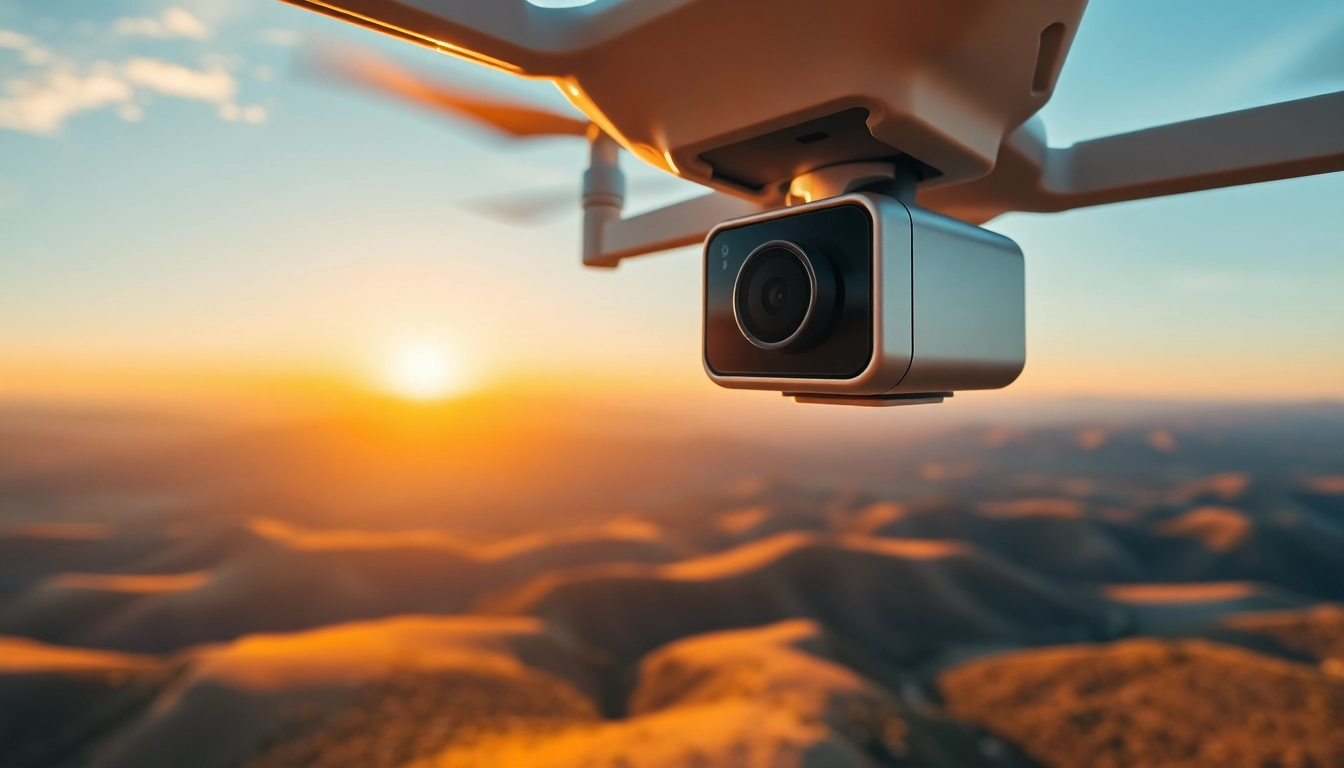
The Insta360 camera revolutionizes the world of photography and videography by offering a unique 360-degree view of the environment. Unlike traditional cameras, which capture a flat field of view, Insta360 devices allow users to immerse themselves in a complete panoramic experience. This innovative technology is primarily used for capturing stunning visuals of landscapes, action sports, or even everyday moments, ensuring no angle is missed.
Key Features of Insta360 Cameras
Insta360 cameras come equipped with a variety of features that set them apart from standard cameras:
- 360-Degree Capture: Ability to capture everything around you, creating immersive content.
- High Resolution: Most models support 4K video and 18MP photo capabilities, ensuring high-quality output.
- Stabilization Technology: Advanced stabilization (like FlowState) helps to keep footage smooth, even during action-packed shots.
- Live Streaming: Certain models support live streaming in 360 degrees, offering real-time shareable content.
- Editing Suite: The accompanying app provides comprehensive tools that allow for easy editing, effects, and sharing options.
Types of Insta360 Cameras Available
The Insta360 lineup includes various models tailored for different user needs:
- Insta360 ONE X2: A compact, versatile option for casual users, with features like waterproofing and voice control.
- Insta360 ONE R: A modular camera that lets users switch out lenses for different shooting styles—ideal for creative filmmakers.
- Insta360 GO 2: The smallest 360 camera, designed for action and adventure, known for its ultra-portable size and ease of use.
- Insta360 Pro 2: A high-end, professional-grade option that captures stunning 8K video, perfect for virtual reality and high-resolution projects.
Getting Started with Insta360
Setting Up Your Insta360 Camera
Setting up your Insta360 camera is straightforward. First, download the Insta360 app on your smartphone, available on both iOS and Android platforms. Once installed, charge your camera fully and turn it on. Follow the on-screen instructions to connect your camera via Wi-Fi or Bluetooth, and calibrate your settings. Familiarize yourself with the camera’s controls through your app, as many functions can be managed directly from your smartphone.
Essential Accessories for Your Insta360
To maximize the potential of your Insta360, consider investing in key accessories:
- Tripod: A sturdy tripod is essential for stable shots and creative angles.
- Selfie Stick: The invisible selfie stick feature allows for creative shots, making it appear as though the camera is floating.
- Protective Case: This offers security during travel and protects the lens from scratches or damage.
- External Microphone: For high-quality audio, pairing your camera with an external microphone can significantly enhance sound quality in your videos.
Understanding the App Integration
The companion app is where the magic happens. It provides an intuitive interface for transferring media, editing content, and sharing across platforms. Users can apply effects, stabilize footage, and even select specific sections to create time-lapses. Familiarizing yourself with this app will greatly enhance the efficiency and quality of your Insta360 user experience. Additionally, features like SkySwap and AI editing tools make creating professional-grade content accessible to anyone.
Creative Applications of Insta360
Filming Adventures: Best Practices
Using your Insta360 camera during adventures opens a world of possibilities. To maximize quality, keep these best practices in mind:
- Plan Your Shots: PRE-visualize where you want to shoot, capturing varying perspectives enhances storytelling.
- Utilize Natural Lighting: Natural light creates the best visual effects; try to shoot during golden hours for optimal results.
- Steady Movement: Slow, smooth movements yield higher-quality footage. Rapid changes can lead to distortion.
- Engage with Your Surroundings: Elements in your environment can add depth; include people, animals, and other interesting visuals.
Using Insta360 for Virtual Tours
Insta360 cameras are increasingly used for virtual tours. This application has gained traction in real estate, tourism, and education, allowing potential buyers, travelers, or students to experience spaces as if they were physically there. Capture high-resolution imagery that is not only engaging but interactive. Use the camera’s stitching capabilities to create seamless tours, supplemented by audio descriptions or guidance within the app for enhanced user experience.
Enhancing Content for Social Media
With the growing demand for engaging social media content, Insta360 cameras make it easy to produce eye-catching visuals. Create unique 360-degree video clips or photos that stand out among traditional posts, capturing dynamic environments like concerts, events, or nature scenes. Implement popular editing techniques provided in the app to tailor your content specifically for platforms like Instagram or TikTok, ensuring it is both shareable and visually appealing.
Advanced Techniques with Insta360
360 Video Editing Tips
Editing 360 videos may seem daunting at first, but the right techniques can bring your footage to life. Here are eight editing tips to follow:
- Choose the Right Software: Use editing software that supports 360-degree video.
- Focus on Flow: Ensure logical progression in your cuts to guide viewers through the content.
- Stabilization: Never underestimate how stabilization can improve disorienting footage.
- Use Transitions Wisely: Smooth transitions maintain the immersion of your video.
- Incorporate Text and Graphics: Use in-app capabilities to add informative or dynamic text overlays.
- Soundscaping: Adding sound can greatly enhance the atmosphere. Use ambient sounds relevant to your footage.
- Practice Color Grading: Make your colors pop by adjusting contrast and saturation alignments.
- Export in High Quality: Always save your videos in the highest resolution to retain detail.
Incorporating Motion in Your Shots
Motion can add excitement to your videos. Techniques to effectively use motion include:
- Action Shots: Capture dynamic action (like skiing or cycling) to convey energy.
- Camera Movement: Utilize transitions and motion effects in your shots to create depth and fluidity.
- Perspective Shifts: Move the camera in sync with the action to maintain immersion and engagement.
Utilizing Insta360 for Professional Projects
Insta360 cameras offer immense potential for professional videographers and photographers. When working on professional projects, consider these strategies:
- Scout Locations: Explore the area beforehand to decide the best angles and points of interest.
- Secure Permissions: Always obtain the necessary permissions before filming in public or private spaces.
- Experiment with Angles: Play around with various perspectives to find what best showcases your subject.
- Maintain High Standards: Regardless of the project, consistency in quality must be upheld, including post-production output.
Frequently Asked Questions
How do I connect my Insta360 to my smartphone?
Ensure Bluetooth is enabled on your smartphone, open the Insta360 app, and power on your camera. Follow the in-app instructions to pair your device easily.
What formats do Insta360 cameras support?
Insta360 cameras support MP4 format for video and JPEG for images, ensuring compatibility with most devices and editing software.
Can I use Insta360 for live streaming?
Yes, specific models of Insta360 cameras support live streaming in immersive 360 degrees, making it perfect for events.
What are the battery life expectations?
Battery life varies by model, with many offering between 60 and 120 minutes of continuous video recording, depending on usage and settings.
Where can I find tutorials for using Insta360?
Official tutorials are available on the Insta360 website and YouTube channel, covering basic setups to advanced editing techniques.